digitaltoolzone.com

Website Builders

Reviews and comparisons of the best website builders for beginners and small businesses.

Wix vs Squarespace 2026: The Honest Comparison
Website Builders

wix vs squarespace

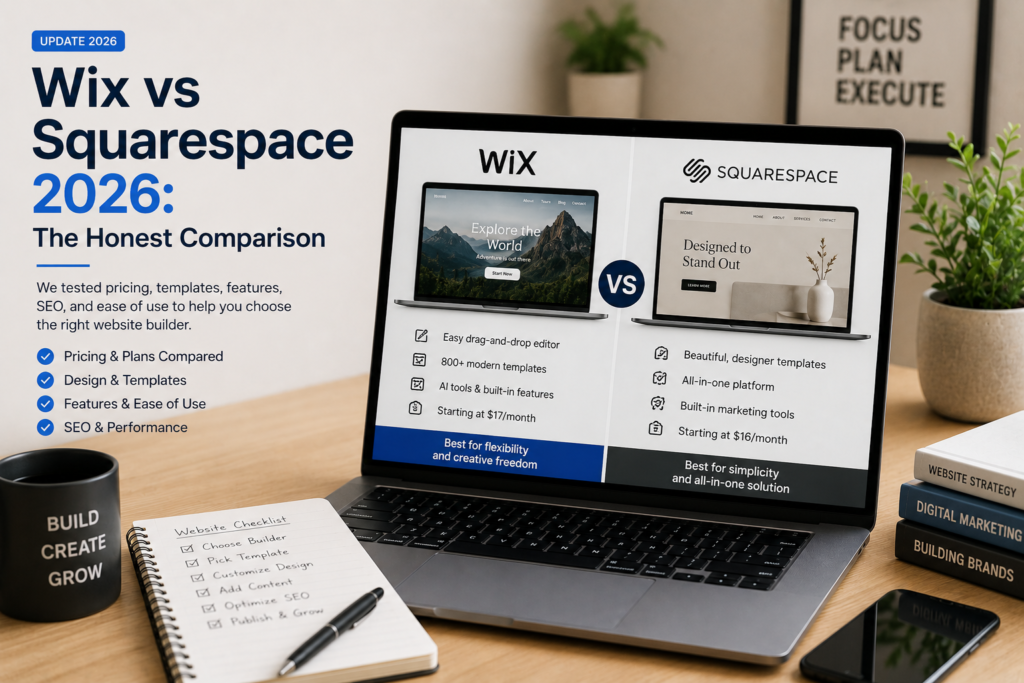
Wix vs Squarespace (2026): The Honest Comparison

Wix and Squarespace are priced almost identically. Wix Light costs $17/month annually. Squarespace Basic costs $16/month annually. One dollar per month difference — barely worth thinking about.

Except that Squarespace Basic charges a 2% transaction fee on every sale you make. On $10,000 of annual sales, that is $200 in fees on top of your subscription cost. Wix charges zero transaction fees on every plan including its cheapest paid tier. At $10,000 in sales, Wix Core ($29/month, $348/year) actually costs $148 less per year than Squarespace Basic ($192/year + $200 in fees = $392/year). The platform that appears more expensive is the cheaper one in practice, the moment you sell anything.

That is the kind of detail this honest wix vs squarespace comparison is built around. Both platforms are genuinely good. Both are right for a specific type of user. By the end of this review, you will know exactly which one is right for you — and why the pricing page comparison most people do before choosing is missing the number that matters most.

Wix vs Squarespace: Quick Verdict

Wix

4.5/5

Plans from ~$17/month annually

Best for: users who want maximum design freedom, a large app ecosystem, and zero transaction fees on sales

Squarespace

4.4/5

Plans from ~$16/month annually

Best for: creatives and service businesses who want the most beautiful default templates and a polished managed experience

Bottom line: If design quality is your top priority and you are building a portfolio, service site, or curated store, Squarespace’s templates are the best in the market. If you want more flexibility, more apps, more eCommerce capability, or lower effective cost the moment you start selling, Wix is the stronger platform.

Wix vs Squarespace: Full Side-by-Side Comparison

Feature
Wix
Squarespace
Starting price (annual)
~$17/month (Light)
~$16/month (Basic)
Transaction fees
None on any plan
2% on Basic plan — eliminated on Core ($23/mo)
Templates
800+ templates
~195 templates — significantly better quality
Design editor
Drag-and-drop — pixel-level freedom
Section-based — more constrained, more polished
App marketplace
~800 apps
~49 extensions
Blogging
Good — functional, improving
Good — better typography and reading experience
SEO tools
Good — Wix SEO Wiz built in
Good — automated basics, limited advanced control
eCommerce
Strong — no transaction fees, Core plan
Good — transaction fee trap on Basic plan
Customer support
24/7 chat and phone on paid plans
24/7 live chat on all plans
Free plan
Yes — Wix branding on site
No — 14-day trial only
Mobile editing
Good
Excellent — best mobile editor in category
AI website builder
Wix ADI — generates full site
Blueprint AI — generates structure and content
Portfolio sites
Good
Excellent — the go-to choice for creatives
Small online stores
Excellent — zero transaction fees
Good — requires Core plan to avoid fees
Scalability
High — large app ecosystem
Moderate — limited by extension marketplace
Best for
Flexibility, eCommerce, app integrations
Design quality, creatives, service businesses

Wix vs Squarespace Pricing: The Real Cost Comparison

Plan-by-Plan Price Comparison

Plan Level
Wix Plan
Wix Price (Annual)
Squarespace Plan
Squarespace Price (Annual)
Key Difference
Entry
Light
~$17/mo ($204/yr)
Basic
~$16/mo ($192/yr)
Squarespace $12/yr cheaper — but has 2% transaction fee
Mid
Core
~$29/mo ($348/yr)
Core
~$23/mo ($276/yr)
Squarespace $72/yr cheaper — both eliminate transaction fees at this level
Growth
Business
~$39/mo ($468/yr)
Plus
~$39/mo ($468/yr)
Identical price — Squarespace adds subscription selling
Premium
Business Elite
~$159/mo ($1,908/yr)
Advanced
~$99/mo ($1,188/yr)
Squarespace $720/yr cheaper at top tier

Prices are approximate USD figures for annual billing. Monthly billing is higher on both platforms. Visit wix.com/upgrade/website and squarespace.com/pricing for current pricing in your region.

The Transaction Fee Calculation — The Number the Pricing Page Hides

The headline prices above make Squarespace look slightly cheaper at entry and mid level. The transaction fee changes that calculation entirely for any seller:

Annual Sales Volume
Squarespace Basic Fee (2%)
True Annual Cost (Basic $192 + fees)
Wix Core Annual Cost (no fees)
Who Wins on Total Cost
$0 (no sales)
$0
$192/year
$348/year
Squarespace by $156/year
$5,000/year
$100
$292/year
$348/year
Squarespace by $56/year
$7,800/year
$156
$348/year
$348/year
Break even — same total cost
$10,000/year
$200
$392/year
$348/year
Wix by $44/year
$20,000/year
$400
$592/year
$348/year
Wix by $244/year
$50,000/year
$1,000
$1,192/year
$348/year
Wix by $844/year

The breakeven point is $7,800 in annual sales. Below that figure, Squarespace Basic is cheaper in total cost. Above it, Wix Core is cheaper despite the higher subscription price. For any freelancer, small business, or creator doing more than $7,800 per year in online sales — a very modest threshold — Wix is the financially correct choice.

If you plan to sell online at any meaningful volume, the comparison is not Squarespace Basic versus Wix Light. It is Squarespace Core ($276/year, no transaction fees) versus Wix Core ($348/year, no transaction fees) — a $72/year difference in Squarespace’s favour. At that level, both platforms are fairly priced for what they offer.

Design and Templates: Squarespace Wins — and It Is Not Close

This is the most clear-cut dimension in the wix vs squarespace comparison. Squarespace’s approximately 195 templates are the most consistently beautiful in the hosted website builder market. Every template is professionally designed with coherent typography, considered whitespace, and mobile-responsive layouts that look polished on every device size. The number of templates is smaller than Wix — but the average quality is noticeably higher.

Wix offers over 800 templates. More choice, but more variance in quality. Some Wix templates are excellent. Others look dated or generic. Finding the right Wix template requires more time sifting through options than selecting from Squarespace’s curated library.

The editing experience reflects the same trade-off. Wix’s drag-and-drop editor lets you place any element anywhere on the page with pixel-level precision — more creative freedom, but also more rope to hang yourself with if you are not a designer. Squarespace’s section-based editor is more constrained — you work within structured layouts rather than freely positioning elements. The result is more consistent, more professional-looking output for non-designers.

For a photographer, designer, architect, or any creative professional whose website is their portfolio, Squarespace is the correct choice on design alone. The templates are built for showcasing visual work in a way that Wix’s best templates do not match as a default.

For a business owner who wants full creative control, the ability to build truly custom layouts, or simply does not want to be constrained by a section-based system, Wix’s drag-and-drop freedom is the stronger platform.

Ease of Use: Both Are Beginner-Friendly — Wix Is More Immediate

Both Wix and Squarespace are hosted website builders — there is no server to configure, no software to install, and no maintenance to manage. Setup on both platforms means signing up, choosing a template, adding your content, and publishing. Neither requires technical knowledge.

The difference is in the editor experience. Wix is more immediately intuitive — click anything, drag it anywhere, see the change instantly. Most users are comfortable building in Wix within the first 30 minutes. The AI Website Builder (Wix ADI) generates a complete starting site from a few questions, which is a practical shortcut for users who find a blank canvas intimidating.

Squarespace has a short learning curve. The section-based editor logic — that pages are made of sections containing blocks — takes one editing session to fully grasp. Once it clicks, the editor is fast and enjoyable. Squarespace’s mobile editor is the standout here: it is the most capable mobile editing experience of any major website builder, allowing meaningful site edits from a phone without the stripped-down feel most mobile editors deliver.

For a complete beginner who wants to launch as quickly as possible, Wix is marginally easier to start with. For a user willing to invest 20 minutes understanding the section logic, Squarespace produces more polished results with less ongoing design decision-making.

Wix vs Squarespace SEO: Which Platform Ranks Better?

Both Wix and Squarespace have improved their SEO capabilities significantly in the past three years. Neither platform is an SEO liability for mainstream use cases. The differences between them on SEO are real but smaller than the difference between either of them and WordPress.

What both platforms offer: automatic SSL certificates, mobile-responsive design, clean URL structures, XML sitemaps, customisable meta titles and descriptions, alt text fields for images, and Google Search Console integration. For a local business, portfolio, or small business website, both handle the SEO fundamentals automatically and competently.

Where they differ on SEO: Wix’s SEO Wiz provides a guided optimisation checklist that walks you through optimising every page step by step — more active guidance than Squarespace’s more passive approach. Wix also has a slightly larger SEO app marketplace, with tools like SEOSpace and other third-party SEO add-ons available.

Squarespace handles technical SEO foundations automatically but offers less user-facing control. You cannot install third-party SEO plugins. Schema markup options are limited. Page speed optimisation is managed by Squarespace rather than the user — which means less control but also less risk of user-made performance errors.

The honest wix vs squarespace seo verdict: Wix has a marginally higher SEO ceiling than Squarespace due to its larger app ecosystem and more active SEO guidance. For most small businesses and portfolios, the difference is not material — content quality will determine rankings more than platform choice. For sites where SEO is the primary traffic strategy, neither platform gives you the control that WordPress with Yoast or Rank Math provides. If SEO is your top priority, both Wix and Squarespace are second choices behind WordPress.

eCommerce: Wix Wins on Value — Squarespace Wins on Aesthetics

For selling online, the wix vs squarespace comparison splits cleanly depending on what you prioritise.

Wix eCommerce is available from the Core plan ($29/month annually) with no transaction fees on any plan. You get abandoned cart recovery, discount codes, inventory management, multiple payment gateways, and a product catalogue that scales to 50,000 items. The Wix App Market adds hundreds of eCommerce extensions covering subscriptions, loyalty programmes, dropshipping, and specialist shipping tools. For a small business that intends to sell seriously, Wix’s zero transaction fee policy and broader app ecosystem make it the more cost-effective and capable eCommerce platform.

Squarespace eCommerce is available on all plans but the Basic plan’s 2% transaction fee is a practical deterrent for any seller doing meaningful volume (see the breakeven table in the Pricing section above). From the Core plan ($23/month annually), Squarespace eCommerce is genuinely capable for small and curated stores — abandoned cart recovery, subscription selling on Plus and above, product reviews, and clean checkout design are all strong. Where Squarespace falls short is in the extension marketplace (~49 options versus Wix’s ~800) and in scalability beyond a few hundred products.

The aesthetic advantage reverses here: Squarespace product pages and checkout flows look better than Wix by default. For a luxury brand, artisan maker, or creative selling premium products where the buying experience needs to feel as considered as the product, Squarespace’s design quality can be worth the higher effective cost. For a business selling practical products where conversion rate matters more than aesthetic impression, Wix’s lower effective cost and broader integrations are the right trade-off.

Blogging: Squarespace Has a Slight Edge on Reading Experience

Both Wix and Squarespace include blogging functionality — categories, tags, scheduled publishing, multiple authors, and comment management. For a business that publishes a few articles per month as a content marketing complement to its main site, both platforms are functional and adequate.

Squarespace produces a slightly better reading experience by default. The typography choices in Squarespace templates are more considered — line height, font pairing, and content width are set to editorial standards that make articles pleasant to read without any user adjustment. Wix blog posts look good but require more deliberate template selection and customisation to achieve the same reading quality.

Neither platform is the correct choice for a site where blogging is the primary purpose and SEO-driven content growth is the main strategy. For serious bloggers, WordPress remains the correct platform. For businesses where blogging is a secondary feature alongside a main site, both Wix and Squarespace are sufficient — Squarespace slightly more so on reading experience.

Apps and Integrations: Wix Has a Commanding Lead

Wix’s App Market contains approximately 800 apps covering eCommerce, marketing, bookings, social media, analytics, and specialist business tools. Most are free or low-cost. The breadth of integration options means almost any business tool can be connected to a Wix site without custom development.

Squarespace Extensions has approximately 49 options. The core integrations — Mailchimp, Google Analytics, Afterpay, ShipBob — are covered. Specialist tools, niche eCommerce requirements, and bespoke business integrations are frequently absent. If a tool you rely on is not in Squarespace’s extension catalogue, you either use a workaround or it does not integrate.

For a business with standard needs — email marketing, payment processing, basic analytics — both platforms cover everything required. For a business with specific tool dependencies or unusual integration requirements, Wix’s 800-app marketplace gives you 16 times more options.

Wix vs Squarespace: Who Should Choose Which

Choose Wix if:

  • You want maximum design freedom — drag-and-drop anywhere, no section constraints
  • You sell online and want zero transaction fees from your first sale
  • You need a specific app or integration not available on Squarespace
  • You want a permanent free plan to test before committing financially
  • You are building a site with complex functionality requirements — bookings, memberships, community features
  • You want more SEO app options and guided optimisation tools
  • Your annual sales volume exceeds $7,800 — the breakeven point where Wix Core becomes cheaper than Squarespace Basic

Choose Squarespace if:

  • You are a photographer, designer, architect, or creative whose portfolio needs to look exceptional by default
  • Design quality matters more than design flexibility — you want polished results with fewer decisions
  • You run a service business and want a site that feels considered and premium without designer involvement
  • You sell a curated range of products where the buying experience needs to feel as refined as the product
  • You want the best mobile editing experience in the category
  • You publish content regularly and want typography and reading experience that Squarespace templates deliver by default
  • Your annual sales are under $7,800 and Squarespace Basic’s lower headline price makes it cheaper in total cost

The honest one-line summary: Choose Squarespace for how your site looks. Choose Wix for what your site can do.

Frequently Asked Questions

Is Wix or Squarespace better?

Neither is universally better — each wins on different dimensions. Squarespace is better for design quality, template aesthetics, and the reading experience on blog posts. Wix is better for design flexibility, eCommerce value (zero transaction fees), app integrations, and extensibility. For creatives and service businesses prioritising appearance: Squarespace. For businesses prioritising functionality, selling capability, and lower effective cost above $7,800 in annual sales: Wix.

At the entry level, Squarespace Basic ($16/month annually, $192/year) appears $12/year cheaper than Wix Light ($17/month, $204/year). However, Squarespace Basic charges a 2% transaction fee on sales. The breakeven point is $7,800 in annual sales — above that figure, Wix Core ($29/month, $348/year with no transaction fees) costs less in total than Squarespace Basic plus its fees. At $10,000 in annual sales, Wix Core saves $44/year. At $20,000 in annual sales, Wix Core saves $244/year. For any business selling online at meaningful volume, Wix is cheaper in practice despite the higher subscription price.

Both platforms handle technical SEO fundamentals automatically. In the wix vs squarespace seo comparison, Wix has a marginal advantage: a larger SEO app marketplace, a more active guided optimisation tool (Wix SEO Wiz), and slightly more control over technical SEO settings. For most small businesses and portfolio sites, the difference is not material — content quality determines rankings more than platform choice. Neither platform gives you the advanced SEO control that WordPress with Yoast or Rank Math provides. If SEO is your primary growth strategy, both are second choices behind WordPress.

Yes — for most creative portfolios, Squarespace is the stronger choice. Squarespace’s templates are specifically strong for visual showcasing — photography, design, architecture, illustration, and other visual work. The default typography, image treatment, and whitespace in Squarespace templates produce a premium presentation that most Wix templates do not match without significant customisation. Wix has excellent portfolio templates, but Squarespace produces a more consistently polished portfolio result with less design effort.

Squarespace charges a 2% transaction fee on the Basic plan ($16/month annually) plus a 7% fee on digital content and memberships. These fees are eliminated on the Core plan ($23/month annually) and above. Wix charges zero transaction fees on any plan — including its cheapest paid plan (Light, $17/month annually). This is one of the most practically important differences in the wix vs squarespace comparison for any seller.

Yes, but neither platform makes it easy. Wix and Squarespace are both closed ecosystems — neither provides a one-click export in the other’s format. Blog posts can typically be exported as XML files and re-imported. Page layouts, design elements, and custom content need to be rebuilt manually on the new platform. For a site with a large amount of content, switching platforms is a significant undertaking — typically a day or more of work. This is the strongest argument for making the right choice from the beginning rather than switching later.

For most small businesses, Wix offers better overall value — zero transaction fees, a larger app marketplace covering most business tools, and more flexible design options. Squarespace is the stronger choice for small businesses in visual or creative industries — restaurants, photographers, designers, boutiques, and coaches — where the premium look of Squarespace templates directly supports the brand impression. For service businesses without strong visual brand requirements, Wix’s functionality and lower effective cost give it the edge.

For most eCommerce use cases, Wix is the stronger platform. Zero transaction fees on every plan, a larger integration ecosystem with ~800 apps versus Squarespace’s ~49 extensions, and a broader range of eCommerce tools (dropshipping, loyalty programmes, advanced shipping) give Wix more capability at lower effective cost. Squarespace eCommerce is genuinely good for small, curated stores where the premium visual presentation of product pages matters — luxury goods, artisan products, premium fashion. For any store prioritising volume, scale, or specialist integrations, Wix is the better eCommerce platform.

Wix has more templates — over 800 versus Squarespace’s approximately 195. Squarespace has better templates. The quality and visual polish of Squarespace’s template library is consistently higher — more considered typography, better use of whitespace, and stronger overall design sensibility. Wix’s larger selection means more variety but more variance in quality. If you want to find a specific layout or niche template, Wix’s 800+ options give you more to choose from. If you want the highest-quality designs as a default, Squarespace’s curated 195 templates are the stronger library.

Both platforms are genuinely beginner-friendly — far simpler than self-hosted WordPress. Wix is marginally easier to start with because its drag-and-drop editor is immediately intuitive and the AI website builder (Wix ADI) can generate a complete starting site from a few questions. Squarespace has a short learning curve — the section-based editor logic takes one session to understand — but produces more polished results for non-designers once the logic is grasped. For a beginner who wants to launch today without learning anything new: Wix. For a beginner willing to spend 20 minutes learning the editor in exchange for a more refined output: Squarespace.

Related Guides on Digital Tool Zone

How We Researched This Comparison

This wix vs squarespace comparison is based on:

  • Pricing verification at wix.com/upgrade/website and squarespace.com/pricing, cross-referenced with multiple independent sources as of July 2026. The transaction fee breakeven calculations are based on published fee schedules from both platforms.
  • Feature documentation reviewed against official Wix and Squarespace product pages, app marketplace listings, and recent changelog entries covering both platforms’ 2025 plan restructuring
  • User review analysis from G2, Capterra, Trustpilot, and Reddit to identify consistent real-world strengths and complaints across both platforms

We have published individual reviews of both Wix and Squarespace on Digital Tool Zone. Those existing editorial relationships do not affect this comparison — we call each platform’s strengths and weaknesses as the data shows them.

Prices in this article are listed in USD and were sourced from publicly available information on each company’s official website and reputable third-party review platforms at the time of publication. Pricing changes frequently. Visit wix.com/upgrade/website and squarespace.com/pricing to confirm current rates in your local currency before making a decision.

Abdul Rasheed
Abdul Rasheed
Founder & Lead Editor — Digital Tool Zone

Written by Abdul Rasheed | Last Updated: August 2026

Abdul holds a BS in Information Technology and founded Digital Tool Zone to provide honest, independently researched digital tool reviews for bloggers, freelancers, and small business owners. Every recommendation on this site is held to one standard: would this have helped me when I needed it?

Our Final Verdict

4.5/5

★★★★½

Wix

best for Non-technical users, small businesses, bloggers, and portfolios

Free Trial — No Credit Card
wix vs squarespace Read Post »

wix vs wordpress
Website Builders

wix vs wordpress

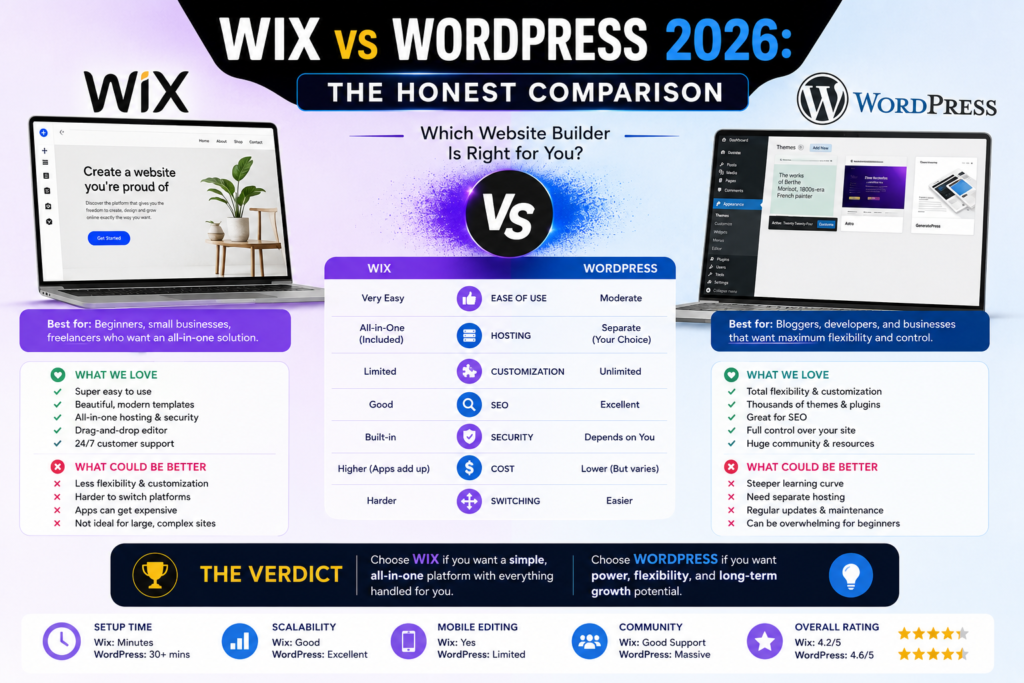
Wix vs WordPress (2026): The Honest Comparison

Wix Light

4.4/5

Plans from ~$17/month annually

Best for: beginners, creatives, small businesses who want to launch fast without technical involvement

WordPress (self-hosted)

4.8/5

Software free + hosting from ~$3/month

Best for: bloggers, content-driven businesses, anyone who needs full control, long-term flexibility, or serious SEO

A basic WordPress website costs $60 less per year than Wix.

That surprises most people. WordPress has a reputation for being the complicated, technical option — the thing you hire a developer for. Wix is supposed to be the easy, affordable one. But a domain ($12/year) plus Hostinger shared hosting ($36/year) plus the WordPress software itself (free) comes to $48 per year. Wix’s cheapest useful plan — Light, which removes Wix branding from your site — costs $204 per year. The gap between them is $156 annually, or $468 over three years.

The wix vs wordpress decision is not about which platform costs less. It is about which trade-off makes sense for your specific situation. WordPress is cheaper and more powerful but requires more technical involvement. Wix is more expensive and more limited but gets you online in 30 minutes without touching a server.

This honest comparison gives you the specific framework to make the right choice — including the one clarification that most wix vs wordpress articles skip entirely.

The Most Important Thing to Understand Before You Compare

When people search ‘wix vs wordpress’, they almost always mean Wix versus self-hosted WordPress.org. But ‘WordPress’ actually refers to two completely different products:

  • org is free, open-source software you download and install on your own web hosting. You pay for hosting ($3–10/month) and a domain ($10–20/year) separately. You own everything. You control everything. You are also responsible for security, updates, and maintenance — or you pay for managed hosting that handles those for you.
  • com is a separate hosted platform built on the same software, run by a company called Automattic. It works more like Wix — you pay a monthly plan, and hosting is managed for you. Plans start at ~$4/month annually, but meaningful features (custom plugins, advanced customisation) require the Business plan at ~$25/month annually.

Throughout this article, ‘WordPress’ means self-hosted WordPress.org — the version that powers 43% of all websites on the internet, including most major blogs, news sites, and business websites. That is the comparison that matters for most readers.

Wix vs WordPress: Quick Verdict

Wix Light

4.4/5

Plans from ~$17/month annually

Best for: beginners, creatives, small businesses who want to launch fast without technical involvement

WordPress (self-hosted)

4.8/5

Software free + hosting from ~$3/month

Best for: bloggers, content-driven businesses, anyone who needs full control, long-term flexibility, or serious SEO

Bottom line: If you want to be online today without learning anything technical, Wix is the correct choice. If you want to build something that grows with you, costs less over time, and gives you complete ownership of your website, WordPress is the correct choice — and the learning curve is shorter than most people expect.

Wix vs WordPress: Side-by-Side Comparison

Feature
Wix
WordPress (Self-Hosted)
Ease of setup
⭐ Excellent — live in 30 minutes, no technical steps
Moderate — hosting setup, install, theme, plugins (~2–4 hours)
Real annual cost (basic site)
~$204/year (Light plan) — $348/year (Core, for eCommerce)
~$48–80/year (hosting + domain + free software)
Design flexibility
High — 800+ templates, drag-and-drop editor
Unlimited — thousands of themes, full code access
Blogging
Good — built-in, easy to use
Excellent — the most powerful blogging platform available
SEO tools
Good — built-in Wix SEO Wiz, handles basics
Excellent — Yoast/Rank Math plugins give full technical control
eCommerce
Good — Core plan required ($29/mo annual)
Excellent — WooCommerce is free, handles any scale
Plugins/Apps
~800 apps in Wix App Market
60,000+ plugins — unlimited extensibility
Content ownership
Wix owns the infrastructure — migration is difficult
You own everything — full export and migration anytime
Maintenance
Handled by Wix automatically
Your responsibility (or managed hosting handles it)
Scalability
Good for small–medium sites
Unlimited — powers enterprise sites and global publications
Customer support
24/7 live chat and phone on paid plans
Community forums, documentation, paid support options
Free plan
Yes — Wix branding on site, not suitable for business use
Software is free; hosting cost applies
Best for
Speed, simplicity, managed experience
Power, ownership, SEO, long-term growth

The Real Cost Difference: Wix vs WordPress

The cost comparison in the wix vs wordpress debate is more nuanced than the headline numbers suggest. Here is what you actually pay in each scenario:

Wix Annual Cost (Real Figures)

Wix Plan
Annual Price (USD/mo)
Annual Total
Notes
Free
$0/month
$0
Wix branding on site — not suitable for business use
Light
~$17/month
~$204/year
Removes branding, custom domain — no eCommerce
Core
~$29/month
~$348/year
eCommerce enabled — minimum for selling online
Business
~$39/month
~$468/year
Advanced eCommerce and marketing tools
Business Elite
~$159/month
~$1,908/year
Unlimited storage, enterprise tools

Annual billing is required for these prices. Monthly billing costs more. Free domain included for the first year on paid plans. Visit wix.com/upgrade/website for current pricing in your region.

WordPress (Self-Hosted) Real Annual Cost

WordPress Cost Component
Typical Annual Cost (USD)
Notes
WordPress software
$0
Always free — open-source, no licence fee ever
Domain name
~$10–20/year
From Namecheap, GoDaddy, or similar registrars
Shared hosting (starter)
~$36–60/year
Hostinger or Bluehost from ~$3–5/month
Free themes
$0
Thousands of quality free themes at wordpress.org/themes
Essential free plugins
$0
Yoast SEO, WPForms Lite, Akismet — all free
Total (basic setup)
~$46–80/year
Approximately $124–$258 less than Wix per year

Managed WordPress hosting (better performance, security handled for you) costs $20–50/month but significantly reduces maintenance overhead. Self-hosted costs above reflect shared hosting suitable for new and growing sites.

The honest three-year cost comparison: a basic Wix Light site costs $612 over three years. A basic WordPress site on shared hosting costs $144–240 over three years. The difference is $372–468 — enough to pay for a premium WordPress theme and twelve months of a premium SEO plugin with money left over.

The cost equation reverses only if you factor in the time value of the technical learning curve. If WordPress setup takes you four hours and your time is worth $50/hour, that is $200 in time cost — which narrows the gap in year one. After year one, WordPress is cheaper every single year.

Ease of Use: Wix Wins — But WordPress Is Closer Than You Think

Wix is the easier platform to use. That is true, and this article is not going to pretend otherwise. You sign up, choose a template, click to edit any element on the page, and publish. There is no hosting to configure, no plugin conflicts to troubleshoot, no update schedule to maintain. For someone who finds the idea of a ‘dashboard’ intimidating, Wix is the right answer.

WordPress has a setup phase that Wix does not. Before you build anything, you need to choose a hosting provider, purchase a plan, install WordPress (most hosts offer one-click installation — this takes five minutes), choose a theme, and install a handful of essential plugins. For a complete beginner, this process takes two to four hours the first time. It is not difficult — there are thousands of step-by-step guides — but it does require following instructions rather than just clicking.

Once past setup, the daily experience of using WordPress is not significantly harder than Wix. The Gutenberg block editor is intuitive for writing and formatting content. Adding pages, updating images, and publishing posts are all simple tasks that require no technical knowledge. The ‘WordPress is complicated’ reputation is largely earned by the setup phase, not the day-to-day use.

The practical question: how much is the 2–4 hour setup difference worth to you? If that time feels like an impossible barrier, use Wix. If you are willing to invest an afternoon once to own a more powerful and cheaper platform for years, WordPress pays back that investment quickly.

SEO: WordPress Has a Higher Ceiling — Wix Has Closed the Gap

The wix vs wordpress seo comparison has changed significantly in the past three years. Wix was once genuinely weak on SEO — slow pages, poor crawlability, limited meta control. Wix has invested heavily in fixing those problems. Today, Wix sites can rank well in Google, and many do.

What Wix offers for SEO: a built-in SEO Wiz that walks you through optimising every page, customisable meta titles and descriptions, automatic XML sitemaps, structured data support, and integration with Google Search Console. Core Web Vitals performance has improved substantially. For a small business or portfolio site with good content, Wix is capable of ranking on competitive keywords.

What WordPress adds: Yoast SEO and Rank Math are the two most comprehensive SEO plugins ever built for any platform. They give you real-time content analysis, advanced schema markup, redirect management, breadcrumb control, canonical tag management, internal linking suggestions, and granular control over every technical SEO element on every page. You can also optimise site speed aggressively with caching plugins (WP Rocket, LiteSpeed Cache) and a CDN — levels of performance optimisation that Wix does not expose to users.

The honest wix vs wordpress seo verdict: if you publish content occasionally and SEO is one factor among many, Wix is capable enough. If organic search is your primary traffic strategy — if you are building a blog, a content marketing site, or a business where Google rankings are the main growth mechanism — WordPress’s SEO ceiling is meaningfully higher, and the tools available to reach that ceiling are significantly more powerful.

Blogging: WordPress Was Built for This and It Shows

WordPress started as a blogging platform in 2003. Twenty-three years later, every major blogging capability you can imagine is either built in or available via a free plugin. Categories, tags, custom post types, author management, editorial calendars, revision history, scheduled publishing, RSS feeds, newsletter integration, comment moderation — all of it is native to the platform or one free plugin away.

The Gutenberg block editor makes writing genuinely enjoyable. The reading experience on a well-themed WordPress blog is among the best on the web. And because WordPress powers most of the world’s major publishing sites — from TechCrunch to The New Yorker to government news portals — there is a plugin for every conceivable blogging workflow.

Wix’s blog is functional and has improved considerably. You can write posts, categorise them, schedule publishing, add multiple authors, and enable reader comments. For a small business that publishes two or three articles per month, Wix’s blog does the job without friction. Where it falls short is in advanced publishing workflows — multiple author roles with granular permissions, custom content types, editorial scheduling tools, and deep newsletter integrations are all weaker or absent.

If blogging is the core purpose of your website — not a sidebar feature — WordPress is the correct platform. The compounding SEO advantages of better technical control and the richer content architecture WordPress provides become material over time.

eCommerce: Both Work — WordPress Scales Further

Wix eCommerce is available from the Core plan ($29/month annually) and handles small to medium online stores well. You can list up to 50,000 products, manage inventory, accept payments in multiple currencies, run discount campaigns, and recover abandoned carts. For a business selling a few dozen to a few hundred products, Wix eCommerce is genuinely capable and requires no technical setup.

WordPress with WooCommerce is the most widely used eCommerce platform on the internet. WooCommerce itself is free — you pay only for hosting and any premium extensions you need. The ecosystem is vastly larger than Wix: thousands of payment gateways, shipping integrations, product types, subscription tools, and marketing automations are available. There is no practical ceiling on what a WooCommerce store can do. Stores with thousands of products, complex international shipping, subscription billing, or custom checkout logic all run on WooCommerce — none of them could run effectively on Wix.

The breakeven point: if your store will have fewer than 200 products and you do not need custom checkout logic or specialist integrations, Wix eCommerce saves you the WooCommerce setup complexity. If you are building anything more ambitious, WooCommerce is the correct platform from day one.

Wix vs WordPress: Who Should Choose Which

Choose Wix if:

  • You want to launch a website today without following a technical setup guide
  • You are building a portfolio, personal blog, small business brochure site, or events page
  • You want design freedom without installing plugins or learning CSS
  • You run a small online store with under 200 products and standard checkout requirements
  • You want hosting, security, and updates all managed for you with zero input
  • You value the 2–4 hour setup time saving over the $156/year cost saving

Choose WordPress (self-hosted) if:

  • Blogging or content marketing is a core part of your business strategy
  • You want full ownership and portability — no platform lock-in, export your site anytime
  • SEO is your primary traffic growth strategy and you need advanced technical control
  • You want to minimise ongoing software costs — WordPress is $156+ cheaper per year than Wix
  • You are building an online store that will grow significantly or needs specialist integrations
  • You plan to grow from a personal site into a team or business over the next 2–3 years
  • You want access to 60,000+ plugins for any functionality you might ever need

The honest summary: Most people who choose Wix are making a reasonable decision for their current situation. Most people who choose Wix over WordPress because they think WordPress is too expensive are making a decision based on incorrect information — WordPress is cheaper. Choose Wix for simplicity. Choose WordPress for everything else.

Frequently Asked Questions

Is Wix better than WordPress?

Wix is better than WordPress for speed of setup, ease of use, and managed hosting. WordPress is better than Wix for SEO, blogging, eCommerce at scale, plugin extensibility, content ownership, and long-term cost. Neither is universally better — the right choice depends entirely on whether you prioritise simplicity or power. For the majority of serious websites — those that intend to generate traffic through content or search — WordPress is the stronger platform.

Yes. Self-hosted WordPress costs approximately $46–80 per year (hosting + domain, software is free). Wix costs a minimum of $204 per year on the Light plan — the cheapest plan that removes Wix branding from your site. Over three years, WordPress is approximately $370–470 cheaper than the equivalent Wix plan. The perception that WordPress is more expensive is based on the cost of premium themes and plugins, which are optional — a professional WordPress site can be built entirely with free themes and plugins.

Wix has improved its SEO capabilities significantly and is capable of ranking well in Google with good content. For local business sites, portfolios, and small business websites, Wix’s built-in SEO tools are adequate. For sites where SEO is the primary traffic strategy — content blogs, affiliate sites, competitive business niches — WordPress with Yoast or Rank Math offers advanced technical control that Wix cannot match. The wix vs wordpress seo debate is no longer as one-sided as it was three years ago, but WordPress still has a higher ceiling for serious SEO work.

WordPress is significantly better for blogging. It was built as a blogging platform in 2003, has 23 years of blogging-specific development behind it, and powers most of the world’s major blogs and publishing sites. Wix’s blog is functional for casual or low-frequency publishing. For anyone who treats blogging as a primary content and SEO strategy, WordPress is the correct platform — the richer content architecture, superior SEO integration, and larger ecosystem of content tools compound over time.

Yes, but it requires effort. Wix does not provide a one-click export to WordPress. You can export your blog posts as an XML file, but page layouts, design elements, and custom content need to be rebuilt in WordPress. Images can be migrated manually. The practical reality: switching from Wix to WordPress after building a substantial site is a significant project — typically a day or more of work, or a cost of $200–500 if you hire someone. This is one of the strongest arguments for choosing WordPress from the start if you have any intention of building something serious.

WordPress.org is the free, open-source software you download and self-host. WordPress.com is a separate hosted platform built on the same software, run by Automattic. WordPress.com works more like Wix — you pay a monthly plan and hosting is managed. The key limitation: on WordPress.com, custom plugin installation requires the Business plan at ~$25/month annually. Self-hosted WordPress.org allows any plugin on any hosting plan. When comparing wix vs wordpress, most people mean Wix versus self-hosted WordPress.org.

Yes. Wix is a practical choice for small businesses that need a professional online presence without technical complexity — service businesses, local shops, restaurants, photographers, consultants, and creatives. The Core plan ($29/month annually) covers eCommerce, booking tools, and basic marketing features for most small business needs. For small businesses where the website is primarily a lead generation tool rather than a content marketing asset, Wix delivers professional results with minimal ongoing maintenance.

Yes. Wix offers a permanently free plan, but it is only suitable for testing — it displays Wix branding on your site and uses a Wix subdomain (yoursitename.wixsite.com) rather than a custom domain. For any business or professional purpose, the minimum useful Wix plan is Light at ~$17/month annually, which removes branding and allows a custom domain. There is no eCommerce functionality on the Light plan — selling requires the Core plan at ~$29/month.

Wix is easier for complete beginners. The drag-and-drop editor, managed hosting, and guided setup make it possible to build a professional-looking site with no prior experience in under an hour. WordPress has a setup phase (choosing hosting, installing WordPress, configuring plugins) that takes 2–4 hours the first time and requires following a step-by-step guide. Once past setup, both platforms are accessible to non-technical users for day-to-day content management. For a beginner who wants to minimise learning time and start immediately, Wix is the right entry point.

Yes — and considerably more. Everything Wix offers (drag-and-drop editing via page builders like Elementor, managed hosting via managed WordPress hosts, eCommerce via WooCommerce, booking tools via plugins, email marketing via integrations) is available in the WordPress ecosystem. WordPress additionally offers 60,000+ plugins covering every conceivable website function, full code-level customisation, complete content ownership and portability, and no platform lock-in. The trade-off is that accessing some of these capabilities requires more technical involvement than the equivalent Wix feature.

Related Guides on Digital Tool Zone

How We Researched This Comparison

This wix vs wordpress comparison is based on:

  • Pricing verification at wix.com and wordpress.com, cross-referenced with multiple independent tracking sources as of July 2026. WordPress.org self-hosted costs verified against current hosting provider pricing from Hostinger, Bluehost, and SiteGround.
  • Feature documentation reviewed against official Wix and WordPress product pages, Wix changelog entries, and WordPress core release notes
  • User review analysis from G2, Capterra, Reddit (r/webdev, r/blogging, r/entrepreneur), and Trustpilot for both platforms

We have a published Wix Review on Digital Tool Zone. That does not affect our assessment of where WordPress is the stronger platform — this comparison calls it as the data shows it.

Prices in this article are listed in USD and were sourced from publicly available information on each company’s official website and reputable third-party review platforms at the time of publication. Pricing changes frequently. Visit each provider’s official pricing page to confirm current rates in your local currency before making a decision.

Abdul Rasheed
Abdul Rasheed
Founder & Lead Editor — Digital Tool Zone

Written by Abdul Rasheed | Last Updated: August 2026

Abdul holds a BS in Information Technology and founded Digital Tool Zone to provide honest, independently researched digital tool reviews for bloggers, freelancers, and small business owners. Every recommendation on this site is held to one standard: would this have helped me when I needed it?

wix vs wordpress Read Post »

Squarespace Review
Website Builders

squarespace review

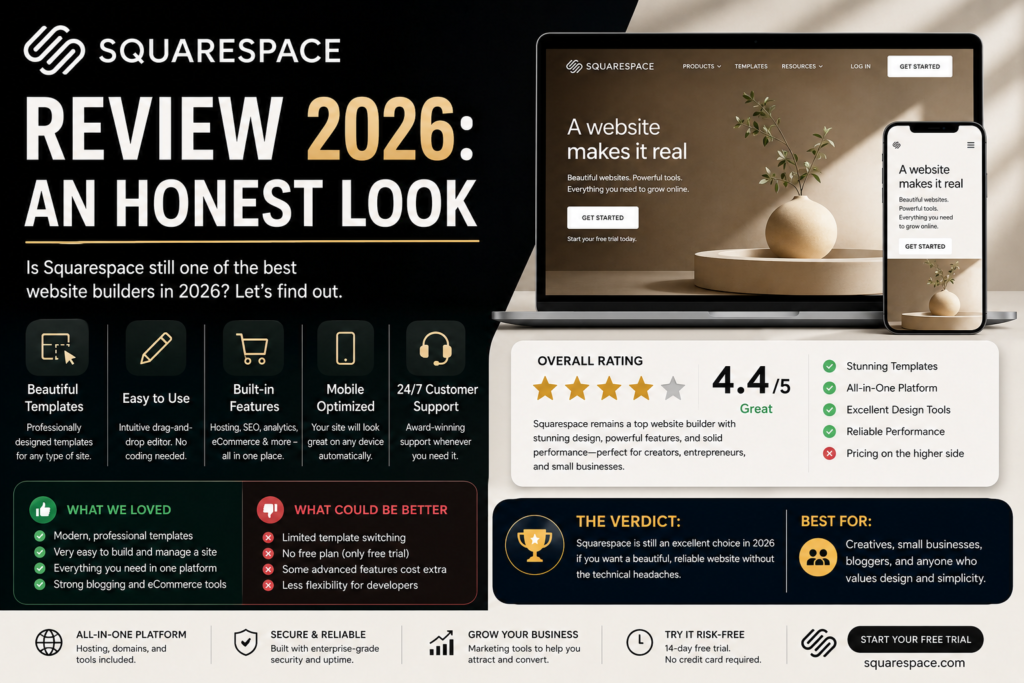
Squarespace Review 2026: An Honest Look

★★★★½ 4.1 / 5

Basic $25/mo

Ease of Use 4.5/5

Free Trial 14 days

Squarespace charges a 2% fee on every sale you make on the Basic plan.

On $10,000 of annual sales — a modest target for any small online store — that is $200 in fees. The Core plan eliminates that fee entirely and costs $84 more per year than Basic ($276 versus $192 annually). At $10,000 in sales, upgrading from Basic to Core saves you $116 per year in net fees. At $20,000 in sales, it saves you $316. The Basic plan is a financial trap for any seller doing meaningful volume.

That is the kind of practical detail this honest squarespace review is built around. Squarespace is genuinely excellent for a specific type of user — and it is genuinely the wrong choice for others. By the end of this review, you will know exactly which side of that line you are on.

Squarespace Review: Quick Verdict

Category
Rating
One-Line Verdict
Design & Templates
4.9/5
Best-in-class — genuinely the most beautiful defaults of any hosted builder
Ease of Use
4.5/5
Section-based editor has a short learning curve but produces polished results
Pricing & Value
3.9/5
Competitive headline price, but the Basic plan's transaction fee is a hidden cost trap
SEO Tools
3.8/5
Handles the basics automatically — limited advanced control compared to WordPress
eCommerce
4.0/5
Strong for curated small stores, limited at scale
Blogging
4.0/5
Capable and good-looking — not as powerful as WordPress for serious content sites
Customer Support
4.3/5
24/7 live chat on all plans — above average for the category

Bottom line: Squarespace is the strongest website builder for creatives, service businesses, and small online stores that prioritise how their site looks. It is not the right platform for sites where SEO is the primary growth strategy, for stores that need to scale beyond a few hundred products, or for budget-conscious users — WordPress costs significantly less annually.

Who Is Squarespace Actually Built For?

This squarespace review is honest about who benefits most — and who does not. Squarespace is genuinely excellent for:

  • Photographers and visual creatives whose portfolio is their primary marketing tool and needs to look exceptional
  • Designers, artists, and illustrators who want their website to feel as considered as their work — not like a template
  • Coaches, consultants, and service providers who need a professional online presence, a built-in scheduling option via Acuity, and a clean contact flow
  • Restaurants, cafés, and hospitality businesses that need menus, event pages, and a strong visual first impression
  • Small online stores selling a curated range of physical or digital products — up to a few hundred items at manageable volume
  • Bloggers and writers who want beautiful typography and a clean reading experience without the complexity of WordPress

Squarespace is a poor fit for:

  • Sites where Google organic search is the primary growth channel and advanced technical SEO control is required
  • Online stores with complex inventory, custom checkout logic, or subscription products at scale
  • Budget-constrained users — a basic WordPress site costs approximately $156 less per year
  • Developers or technically advanced users who need full code access and plugin extensibility

Design and Templates: The Strongest in the Category

No honest squarespace review can be equivocal about the design quality. Squarespace’s approximately 195 templates are the most consistently beautiful in the hosted website builder market — not by a small margin. Every template is professionally designed, properly typeset, mobile-responsive from day one, and visually consistent across device sizes. Competitor builders have more templates; none have templates that look this good as a default.

All templates are included in every plan at no extra cost — no upsell for premium designs. You can switch templates at any time without losing your content, which gives you genuine flexibility to rebrand without rebuilding your site. The Blueprint AI feature, introduced in recent updates, generates a complete site structure from a description — a useful starting point for users who find a blank canvas intimidating.

The section-based editor works within structured page layouts rather than allowing pixel-level drag-and-drop positioning like Wix. This means less freeform creative control but more consistently polished output — Squarespace constrains you in the ways that prevent amateur design mistakes. For a non-designer who wants a site that looks designed, this is exactly the right trade-off.

If design quality is your top priority and you are not a designer yourself, no other hosted builder delivers what Squarespace delivers out of the box. This is the platform’s genuine competitive advantage and the core reason to choose it.

Ease of Use: A Short Learning Curve That Pays Off

Squarespace is not quite as immediately intuitive as Wix. Where Wix lets you click anywhere and drag anything, Squarespace’s section-based system requires understanding that pages are built from sections, and sections contain blocks. Most users grasp this within one editing session — but the first 20 minutes can feel less obvious than Wix.

Once the logic clicks, the editor becomes fast and enjoyable. Adding a new section, switching a layout, updating a gallery, or changing typography takes seconds. The entire managed hosting environment means no server configuration, no plugin conflicts, no update schedule, and no security patches to apply. You build, publish, and let Squarespace handle the infrastructure.

The mobile editing experience deserves specific mention. Squarespace’s mobile editor is the most capable of any major website builder — you can make meaningful, substantive changes to your site from a phone without the stripped-down experience most mobile editors deliver.

Setup to live website: most users complete their first Squarespace site within a day. The 14-day free trial gives enough time to build the site, test it thoroughly, and decide before any payment is required.

Squarespace Pricing: The Real Cost Including Hidden Fees

Plan
Annual Price (USD/mo)
Monthly Price (USD/mo)
Online Store Transaction Fee
Best For
Basic
~$16/month
~$25/month
2% per sale + 7% on digital products
Portfolios, blogs — not for active sellers
Core
~$23/month
~$33/month
0% — fee eliminated
Small businesses and stores — minimum for selling seriously
Plus
~$39/month
~$56/month
0% — lower processing rates begin
Growing stores with subscription products
Advanced
~$99/month
~$139/month
0% — lowest available rates, unlimited video
High-volume eCommerce, serious stores

Annual billing saves 28–36% versus monthly. A free custom domain is included for the first year on all annual plans. Visit squarespace.com/pricing for current pricing in your region.

The Transaction Fee Calculation — Read This Before Choosing a Plan

The Basic plan charges 2% on physical product sales and 7% on digital content and memberships. These fees stack on top of standard payment processing fees from Squarespace Payments (2.9% + $0.30 per transaction). Here is what that means in practice:

Annual Sales Volume
Basic Plan Fee Cost (2%)
Core Plan Annual Upgrade Cost
Net Saving on Core vs Basic
$5,000/year
$100/year in extra fees
$84/year more than Basic
Save $16/year — borderline
$10,000/year
$200/year in extra fees
$84/year more than Basic
Save $116/year — Core is clearly better
$20,000/year
$400/year in extra fees
$84/year more than Basic
Save $316/year — Core pays for itself 3x over
$50,000/year
$1,000/year in extra fees
$84/year more than Basic
Save $916/year — Basic is financially indefensible

The conclusion is clear: the Core plan ($23/month annually, $276/year) is the minimum recommended plan for any Squarespace user who sells products or services online. The Basic plan is suitable only for portfolios, blogs, and brochure sites with no eCommerce intention.

Additional Costs to Budget For

  • Custom domain after year one: $10–20/year for standard extensions (.com, .net, .org); $30–70+ for specialty extensions (.studio, .design)
  • Google Workspace (professional email): free for the first year on Core and above; ~$6/user/month thereafter
  • Acuity Scheduling (appointment booking): $16–49/month — not included in any base plan; required if you take client bookings
  • Email Campaigns: $7–68/month depending on send volume — separate add-on, not in any plan
  • Premium extensions: $5–50/month for specialist third-party integrations

Realistic annual cost for a small service business on Squarespace Core: $276 (plan) + $15 (domain renewal after year one) + $72 (Google Workspace after free year) = approximately $363/year before any scheduling or email marketing add-ons. Factor this into your budget before signing up.

Squarespace SEO: Solid Basics, a Lower Ceiling Than WordPress

Squarespace handles the technical SEO foundations automatically. SSL certificates, mobile-responsive design, clean URL structures, XML sitemaps, and canonical tags are all managed without user input. The built-in SEO panel lets you customise meta titles and descriptions for every page, add alt text to images, configure Open Graph settings for social sharing, and set up basic redirects. Integration with Google Search Console is straightforward.

For a local business, portfolio site, or small business website where content quality and local signals matter more than advanced technical implementation, Squarespace is capable of ranking well. Many Squarespace sites rank on competitive keywords — the platform is not an SEO liability for mainstream use cases.

Where Squarespace falls short is in advanced SEO control. You cannot install Yoast SEO or Rank Math — the two most powerful SEO plugins ever built for any platform. Schema markup options are limited compared to what a WordPress developer can implement. JavaScript-heavy rendering has historically created crawlability issues with Googlebot, though this has improved in recent versions. The blogging platform lacks the granular controls — custom taxonomies, advanced breadcrumb configuration, detailed keyword analysis integrated into the editor — that WordPress provides natively or via plugins.

The honest squarespace seo review verdict: Squarespace is good enough for most small business and portfolio SEO needs. For sites where Google organic search is the primary traffic strategy and competitive ranking requires advanced technical implementation, WordPress gives you meaningfully more control. If your business depends on ranking well for high-competition keywords, this limitation matters.

Squarespace eCommerce: Strong for Small Stores, Constrained at Scale

From the Core plan upward, Squarespace eCommerce is a competent platform for small and curated online stores. Every plan allows unlimited product listings, inventory management, and online payments. Core adds abandoned cart recovery, discount codes, subscription selling on Plus and above, and product reviews. The checkout experience is clean, fast, and mobile-optimised — Squarespace’s design quality extends to the purchase flow, which matters for conversion rates.

Squarespace Payments (powered by Stripe) is available in the US, UK, and several EU markets, offering a centralised payment dashboard alongside Klarna, Afterpay, Apple Pay, and all major credit cards.

The constraints become apparent as you scale. Squarespace has approximately 49 third-party extensions. WooCommerce has over 1,000 plugins. Complex shipping rules, multi-warehouse inventory, advanced product filtering, international tax compliance across multiple jurisdictions, and custom checkout flows are all areas where WooCommerce or Shopify are substantially more capable than Squarespace.

The practical verdict: Squarespace eCommerce is excellent for a photographer selling prints, a designer selling digital downloads, a coach selling online courses, or a small boutique selling a curated product range. It is not the right platform for a store planning to grow to 1,000+ products, needing complex logistics integration, or requiring custom checkout functionality.

Blogging on Squarespace: Good — Not Best-in-Class

Squarespace’s blog is one of the most visually refined blogging experiences in the hosted builder category. The typography, spacing, and image treatment on a well-chosen Squarespace template produce a reading experience that most WordPress themes do not match by default. For a business that publishes weekly or fortnightly and cares deeply about how its content looks, Squarespace delivers.

You can organise posts with categories and tags, schedule publishing, manage multiple authors, enable comments, and connect an email list via Mailchimp or other third-party integrations. The core publishing workflow is intuitive and fast.

Where Squarespace falls behind WordPress: revision history is limited, author permission levels are less granular, custom post types are not available, editorial calendar tools require third-party workarounds, and the per-post SEO controls are less detailed than Yoast or Rank Math provide in WordPress. For a business publishing daily content with a team of writers and SEO-driven content strategy, these gaps are material. For a business publishing bi-weekly thought leadership articles, they are not.

Customer Support: Above Average, 24/7 Live Chat on All Plans

Squarespace offers 24/7 live chat support on all plans — a meaningful advantage over Wix, which limits phone support to higher-tier plans, and over most hosted builders. Email support is also available. The Squarespace Help Centre is comprehensive, covering most common tasks with written guides and video walkthroughs.

The quality of human support is consistently rated positively in user reviews on Trustpilot and G2. For a non-technical user running into an issue at an unusual hour, knowing human help is available around the clock is genuinely reassuring. The caveat: complex custom code issues and specialist third-party integration problems are typically better resolved through the Squarespace community forums or the Squarespace Circle designer community than through the standard support channel.

Squarespace Pros and Cons: The Complete List

Pros

  • Best-in-class templates — the most consistently beautiful designs in the hosted builder market
  • All templates included at no extra cost — no upsell for premium designs
  • All-inclusive managed hosting — no server, security, or update management required
  • 24/7 live chat support on every plan
  • Section-based editor produces polished output without requiring design skills
  • Best mobile editing experience of any major website builder
  • eCommerce on every plan — Core plan eliminates transaction fees
  • Blueprint AI speeds up initial site creation
  • Free custom domain for the first year on annual plans
  • 14-day free trial, no credit card required

Cons

  • Basic plan’s 2% transaction fee makes it financially unviable for any active seller — Core plan is the real minimum for eCommerce
  • No free-forever plan — Wix and Zoho Sites offer permanent free options
  • Limited SEO control — no plugin equivalent of Yoast or Rank Math
  • Only ~49 third-party extensions versus 800+ on Wix or 60,000+ on WordPress
  • Section-based editor less freeform than Wix for users who want pixel-level positioning
  • Add-ons (Acuity Scheduling, Email Campaigns, premium extensions) can significantly inflate the real monthly cost
  • Domain renewal after the free first year is more expensive than third-party registrars
  • Not suitable for complex or large-scale eCommerce operations
  • Blogging and SEO capabilities have a lower ceiling than WordPress for content-first sites

Squarespace vs the Alternatives: Quick Comparisons

Squarespace vs Wix

Wix offers more design freedom through pixel-level drag-and-drop positioning and a larger app marketplace (800+ apps versus ~49 extensions). Squarespace produces more consistently polished visual results with less design effort — the templates are simply better. Wix has a permanent free plan; Squarespace does not. Both are similarly priced on entry plans. Choose Wix if you want maximum creative flexibility or a broader integration ecosystem. Choose Squarespace if you want the most beautiful default output with the fewest design decisions to make.

For a full comparison, see our Wix Review on Digital Tool Zone.

Squarespace vs WordPress

WordPress is more powerful for SEO, blogging at scale, and eCommerce of any ambition. It is also cheaper — a basic WordPress site costs approximately $48–80 per year versus Squarespace’s minimum of $192/year. The trade-off is that WordPress requires hosting setup, plugin configuration, and more technical ongoing management. Choose Squarespace if you want managed simplicity and design quality without technical involvement. Choose WordPress if SEO, serious blogging, or long-term scalability are priorities.

For a full comparison, see our Wix vs WordPress comparison on Digital Tool Zone.

Is Squarespace Worth It in 2026?

For the right user, yes — definitively. A photographer, designer, or service professional who wants a website that looks exceptional, is easy to manage, and requires zero technical involvement is getting exactly what they are paying for. At $23/month annually for the Core plan, Squarespace delivers professional-grade design, managed hosting, 24/7 support, and a capable eCommerce foundation for a cost that is competitive with the market.

For the wrong user, no. If your website’s primary job is to rank in Google for competitive keywords and drive organic traffic, Squarespace’s SEO ceiling will eventually constrain your growth. If you are building a serious online store that needs to scale, Shopify or WooCommerce will serve you better. If budget is the primary constraint, WordPress is approximately $144–156 cheaper per year for an equivalent site.

The question to ask yourself before signing up: do I care as much about how my website looks as I do about what it can do technically? If the answer is yes, Squarespace is worth it. If technical capability and long-term SEO control matter more than design quality, look at WordPress. If you are starting a serious online store, look at Shopify.

Try Squarespace Free for 14 Days

No credit card required — build on the Core plan and decide before committing.

Start for free. No credit card required.

Frequently Asked Questions

Is Squarespace good for SEO?

Squarespace handles technical SEO foundations automatically — SSL, mobile responsiveness, clean URLs, sitemaps, and canonical tags are all managed without user input. For local businesses, service providers, and portfolio sites, Squarespace is capable of ranking well with good content. For sites where SEO is the primary traffic strategy and advanced technical implementation matters — competitive keywords, content-first businesses, affiliate sites — WordPress with Yoast or Rank Math gives you meaningfully more control. Our honest squarespace seo review verdict: good for mainstream SEO needs, limited for advanced work.

Squarespace produces more visually polished results with less effort and has better template quality and typography consistency. Wix offers more design freedom with drag-and-drop positioning, a larger app marketplace (~800 apps vs ~49 Squarespace extensions), and a free-forever plan. For creatives and service businesses who want beautiful results without design effort, Squarespace is the stronger choice. For users who want more flexibility or a broader integration ecosystem, Wix is the more capable platform.

Yes — on the Basic plan only. The Basic plan charges 2% on physical product sales and 7% on digital content and memberships. These fees are in addition to standard payment processing fees. The Core plan ($23/month annually, $276/year) eliminates the online store transaction fee entirely. At $10,000 in annual sales, upgrading from Basic to Core saves $116/year in transaction fees alone — the Core plan pays for the annual upgrade cost and then some. The Basic plan is not recommended for any seller doing meaningful volume.

Squarespace does not have a native Google reviews widget. To embed Google reviews on a Squarespace site, you need a third-party extension from the Squarespace Extensions marketplace. Providers including EmbedSocial, Tagembed, and Elfsight all offer Google review widgets compatible with Squarespace. Most charge $5–20/month. You connect the widget to your Google Business Profile and embed it on your Squarespace page using a code block. This is also how to embed Google reviews on a Squarespace website — the same extension and code block method applies.

Squarespace does not offer a free-forever plan. A 14-day free trial is available on all plans with no credit card required — enough time to build your site and evaluate the platform before committing. To publish your site publicly, a paid plan is required from $16/month annually. If a permanent free plan is important, Wix and Zoho Sites both offer free tiers, though both display platform branding on free sites.

The main pros of Squarespace: best-in-class templates, all-inclusive managed hosting, 24/7 live chat support, no technical maintenance required, and polished eCommerce on the Core plan upward. The main cons: the Basic plan’s 2% transaction fee is a financial trap for sellers, there is no free-forever plan, SEO control is limited compared to WordPress, the extension marketplace has only ~49 options versus thousands on other platforms, and appointment booking (Acuity Scheduling) costs extra on top of the base subscription.

Yes — for a specific type of small business. Squarespace is an excellent choice for service-based small businesses (consultants, coaches, designers, photographers, restaurants) that need a professional, visually strong online presence without technical complexity. The Core plan ($23/month annually) covers website, basic eCommerce, and booking tool integration for most small business use cases at a competitive monthly cost. Small businesses whose primary growth strategy is Google organic search or those selling a large product catalogue will find better options elsewhere.

Squarespace’s annual costs on each plan: Basic is approximately $192/year ($16/month), Core is approximately $276/year ($23/month), Plus is approximately $468/year ($39/month), and Advanced is approximately $1,188/year ($99/month). These are billed annually and represent savings of 28–36% versus monthly billing. Additional costs including domain renewal after year one ($10–20/year), Google Workspace after the free first year (~$72/year for one user), and any add-ons (Acuity Scheduling, Email Campaigns) are not included in these figures.

Yes. All Squarespace plans include the ability to sell products, but the Core plan ($23/month annually) is the minimum recommended for any seller doing consistent volume — it eliminates the 2% transaction fee that the Basic plan charges. Squarespace eCommerce handles unlimited product listings, inventory management, abandoned cart recovery, subscription selling (Plus plan and above), and online payments via Squarespace Payments or Stripe. For stores with complex inventory needs, custom checkout logic, or plans to scale beyond a few hundred products, WooCommerce or Shopify are more capable platforms.

It depends on your priorities. Squarespace is worth it compared to WordPress if you value managed hosting, zero technical maintenance, and the best default design quality in the market — particularly for creatives and service businesses. WordPress is the better value if you want lower annual cost (approximately $144–156 cheaper per year), more powerful SEO tools, more flexibility via 60,000+ plugins, or serious eCommerce capability. The honest comparison: Squarespace offers a better experience for its target user; WordPress offers more capability for a lower price for everyone else.

Related Guides on Digital Tool Zone

How We Researched This Review

This squarespace review is based on:

  • Pricing verification at squarespace.com/pricing and multiple independent tracking sources as of July 2026. The transaction fee calculations are based on Squarespace’s published fee schedule cross-referenced against independent sources.
  • Feature documentation reviewed against official Squarespace product pages and recent changelog entries covering the 2025 plan restructuring
  • User review analysis from Trustpilot (1,400+ Squarespace reviews), G2, Capterra, and Reddit to identify consistent real-world praise and complaints
  • Competitive benchmarking against Wix, WordPress, and Shopify across the same feature and pricing dimensions
  • SERP and keyword cluster analysis via SEMrush covering the full 925-keyword variation set and 73-question cluster for ‘squarespace review’

We do not currently hold an active affiliate relationship with Squarespace. If that changes, it will be disclosed clearly in this article and will not affect the feature comparison, the cons list, or the recommendation to choose a different platform when it is genuinely the better option.

Prices in this article are listed in USD and were sourced from publicly available information on Squarespace’s official website and reputable third-party review platforms at the time of publication. Squarespace pricing changes periodically and promotional discounts are offered regularly. Visit squarespace.com/pricing to confirm current rates in your local currency before signing up.

Abdul Rasheed
Abdul Rasheed
Founder & Lead Editor — Digital Tool Zone

Written by Abdul Rasheed | Last Updated: August 2026

Abdul holds a BS in Information Technology and founded Digital Tool Zone to provide honest, independently researched digital tool reviews for bloggers, freelancers, and small business owners. Every recommendation on this site is held to one standard: would this have helped me when I needed it?

squarespace review Read Post »

Wix Review 2026
Website Builders

Wix Review 2026

Wix Review 2026: Is It the Right Website Builder for You?

★★★★½ 4.3 / 5

Light Plan $17/mo

Templates 900+

reviews 9000+

Every year, thousands of people search for an honest wix review not because they are thinking of signing up — but because they have just received a renewal bill significantly higher than what they originally paid.

This is the most consistent pattern in Wix user reviews across Trustpilot, Reddit, and consumer platforms: people who were happy with their site, happy with the interface, and unhappy with what happened at renewal. Price increases of 25 to 50 percent between the introductory rate and the year-two charge are widely documented. The cancellation process has generated its own category of complaints.

A complete wix review in 2026 has to address this alongside everything Wix genuinely does well — and Wix does a great deal well. It is the most capable website builder available for non-technical users who want a professional-looking site without coding. Its templates are excellent. Its AI tools have caught up with competitors. Its SEO has improved substantially from the early days when it was routinely criticised.

This review covers all of it. The genuine strengths, the practical limitations, the pricing structure including what actually happens at renewal, and the honest answer to the question most people are really asking: should I use Wix, or should I use something else?

Quick answer: Wix earns a 4.3/5 from us. It is the best all-in-one website builder for non-technical users who want ease of use, professional design, and built-in hosting. The renewal pricing pattern and the inability to switch templates after launch are its two most significant limitations.

Wix Review at a Glance

⭐ 4.3/5 (our verdict)  |  From $0 free / $17/month Light plan annually  |  Non-technical users, small businesses, bloggers, and portfolios

Trustpilot

mixed

strong product ratings offset by billing and renewal complaints

G2

4.2/5

from 1,600+ verified reviews — praised for ease of use

Capterra

4.4/5

from 9,000+ reviews — strong across multiple review categories

What Is Wix? (And What Is New in 2026)

Wix.com is a cloud-based website builder founded in Tel Aviv in 2006, now serving approximately 230 million users across 190 countries. It is the most widely used hosted website builder in the world. Every Wix plan includes hosting, security, and a content delivery network — there is no separate hosting cost or configuration required.

In 2026, Wix operates two distinct products: the standard Wix website builder for individuals and businesses, and Wix Studio, a professional-grade version designed for designers and agencies who need advanced control over layouts and client management.

The most significant 2026 addition is Wix Harmony — a hybrid editor that combines AI-powered site generation with traditional drag-and-drop editing. Aria, Wix’s dedicated AI agent, generates a complete website structure from a plain text description and then allows manual customisation through the familiar Wix drag-and-drop interface. This is included in all paid plans at no extra cost.

Wix Plans and Pricing 2026: The Complete Breakdown

Plan
Monthly
Annual
Key Details
Free
$0
$0
Wix ads, wixsite.com domain, 500MB storage — testing only
Light
$24/month
$17/month
Remove Wix ads, custom domain (yr 1 free), 2GB storage, no eCommerce
Core
$36/month
$29/month
eCommerce enabled, sell products, Wix Payments, bookings, events
Business
$46/month
$39/month
100GB storage, advanced eCommerce, 25 collaborators, priority support
Business Elite
$172/month
$159/month
Unlimited storage, unlimited products, enterprise analytics, loyalty program
Enterprise
Custom
Custom
Dedicated support, custom contract, SLA guarantees

Annual billing is approximately 41% cheaper than monthly billing. The prices above are annual billing rates. Monthly rates are shown in the ‘Monthly’ column. Always compare the full annual cost before choosing monthly billing for a budget calculation.

The Renewal Pricing Reality

Wix’s introductory pricing applies to your first billing term only. At renewal, prices typically increase — by 25 to 50 percent in many independently documented cases. The first-year rate, including the introductory domain, creates a total cost that rises meaningfully in year two once the domain renewal and any pricing adjustments are factored in.

Wix offers a 14-day money-back guarantee, but this applies to the initial payment only — not renewals. Multiple users on Trustpilot and Reddit report being surprised by renewal charges significantly higher than their original payment, with difficulty cancelling before the charge processes.

The practical advice: when calculating whether Wix fits your budget, use the year-two expected cost rather than the introductory rate. Wix does not prominently disclose renewal pricing at checkout. Factor in domain renewal ($13 to $17 per year after year one), any app subscriptions, and the possibility of a plan price increase at renewal before committing to an annual plan.

Additional Costs to Know

  • Email hosting: not included in any Wix plan. Google Workspace costs $6.50/month per mailbox (or $48/year)
  • App Market: 500+ apps available; many core functionality tools cost $5 to $20 per month additional
  • Email marketing: sold separately. Free tier sends 200 emails/month with Wix branding; paid tiers from $10/month
  • eCommerce transaction fees: Wix does not charge transaction fees, but payment processors (Stripe, PayPal) charge 2.9% + $0.30 per transaction
  • Domain renewal: free for year one on annual plans; approximately $13 to $17/year from year two

Wix Ease of Use: The Honest Assessment

Wix’s drag-and-drop editor is the best available in any hosted website builder. Elements can be placed anywhere on a page with pixel-level precision — there are no grid constraints forcing you into columns. Text, images, video, forms, buttons, and maps are all drag-and-drop items with no code required.

Setup from account creation to a published website typically takes between 30 minutes and 2 hours depending on how much content you have ready. Wix ADI (Artificial Design Intelligence) and the newer Wix Harmony editor both generate a complete site structure from basic information, which can then be customised. First-time users consistently describe the process as fast and intuitive.

The one limitation that every honest wix review must state clearly: you cannot change your Wix template after your site goes live. If you build on Template A and then decide six months later that Template B is more appropriate, you cannot switch. Your only option is to start from scratch on the new template. This is Wix’s most practically impactful limitation for growing websites.

Ease of use verdict: The most beginner-friendly website builder available. The template-lock limitation is a genuine practical constraint that should influence template selection from day one.

Wix SEO Review: Can Wix Sites Actually Rank on Google?

The short answer: yes. Wix sites rank on Google. Google’s own team has confirmed this multiple times, and independent SEO studies from 2023 to 2026 consistently show Wix sites achieving competitive positions in search results when the content and on-page optimisation are executed correctly.

Wix’s SEO capabilities in 2026 include:

  • Customisable meta titles and descriptions for every page, post, and collection item
  • Clean, readable URL structure with full editing control
  • Automatic XML sitemap generation and submission to search engines
  • Structured data support for rich results including reviews, recipes, events, and products
  • 301 redirect management for URL changes and site migrations
  • txt editing for crawl control
  • Core Web Vitals optimisation Wix has invested significantly in page speed infrastructure since 2022
  • AI SEO assistant suggests meta descriptions, alt text, and on-page optimisations

Where Wix SEO Has Limitations

Wix is not the right tool for technical SEO at scale. There is no built-in log file analysis, no crawl budget management beyond basic robots.txt, and no structured data editor with the depth that WordPress plugins like Rank Math or Yoast provide. For a large content site producing hundreds of articles per month, WordPress remains the more flexible and technically capable platform.

For a small business website, a portfolio, a restaurant, or a blogger producing 2 to 5 articles per week, Wix’s SEO tools are sufficient and well-integrated. The SEO criticism from 2018 and 2019 that still circulates in some reviews is outdated — Wix’s SEO infrastructure has improved substantially.

Wix SEO verdict: Capable and sufficient for most small businesses and bloggers. Not the right choice for large-scale content operations or sites requiring deep technical SEO customisation.

Start Building on Wix Free

Test the editor, templates, and AI tools — no credit card required.

Free Trial —  No Credit Card

Wix Templates and Design Flexibility

Wix offers over 900 professionally designed templates categorised by industry and use case. Template quality is consistently rated among the highest of any website builder — most templates look genuinely professional straight out of the box, with clear visual hierarchy and mobile-responsive layouts.

The design editor allows significant customisation within any template: fonts, colours, spacing, section layouts, and any element’s position can all be changed. For non-designers, Wix’s design tools are the most capable available without requiring any design background.

Wix eCommerce Review: Is It Good for Online Stores?

Wix eCommerce requires the Core plan at minimum ($29/month annually). The Core plan unlocks product listings, Wix Payments, order management, and basic shipping settings. This is sufficient for a small online store selling under a few hundred products.

  • Product management: upload products, variants (size, colour), inventory tracking, digital products
  • Payment processing: Wix Payments (Stripe-based), PayPal, credit cards, and regional payment methods
  • Shipping: real-time rates, flat rate, free shipping options; integrates with major carriers
  • Abandoned cart recovery: available on Business plan and above
  • Subscriptions and memberships: available via app integrations

For a serious eCommerce operation — more than a few hundred products, complex inventory, multi-currency, or a large transaction volume — Shopify is the more purpose-built platform. Wix eCommerce at the Core and Business plan levels is the right choice for a small shop that also wants a full website, blog, and booking system under one roof.

eCommerce verdict: Good for small stores integrated into a full website. Not the right tool for serious eCommerce at scale.

Wix AI Features in 2026: Harmony and Aria

Wix has invested heavily in AI in 2026. Two additions are worth covering:

  • Wix Harmony: the updated hybrid editor that combines AI site generation with the traditional drag-and-drop interface. Aria, Wix’s AI agent, generates a complete site structure from a text description of your business, then allows full manual customisation. Available on all plans.
  • AI text writer: generates and rewrites page copy, product descriptions, blog content, and meta tags from within the Wix editor. Available from the free plan.
  • AI image generator: creates images from text descriptions for use on your site. Available within the editor.
  • AI SEO assistant: suggests meta descriptions and alt text optimisations based on your content. Available on paid plans.

Wix’s AI tools are practical and well-integrated rather than experimental. They serve the same non-technical user base that Wix’s editor targets — people who want help getting to a finished, polished result without having to write every piece of copy from scratch.

Wix vs WordPress: The Honest Comparison

Most people evaluating Wix are also considering WordPress. Here is the honest comparison:

Choose Wix if

  • You want to launch a site in hours, not days Wix’s setup is faster than any WordPress configuration
  • You have no technical background and no plans to develop one Wix removes every technical decision from the process
  • You want hosting, security, and updates managed for you Wix handles all infrastructure; WordPress requires either managed hosting or manual maintenance
  • You need bookings, events, restaurants, or an online store at entry level Wix’s built-in tools cover these without plugins
  • You are building a website, not a content operation Wix’s blog is functional but limited; WordPress is the superior blogging and CMS platform

Choose WordPress if

  • You need full ownership and portability WordPress sites can be moved to any host; Wix sites cannot be exported
  • You need deep plugin customisation 60,000+ WordPress plugins cover almost any functionality; Wix’s App Market is smaller and more curated
  • You are building a serious content site WordPress is the industry-standard platform for blogs, news sites, and content-heavy operations
  • You need a developer to extend your site WordPress development skills are universal; Wix’s Velo developer framework is proprietary
  • You want to avoid ecosystem lock-in leaving Wix means rebuilding from scratch; leaving WordPress means migrating content to any other platform

Wix vs WordPress verdict: Wix for non-technical users who want a complete, managed website. WordPress for content operations, developers, and anyone who values long-term flexibility and platform independence.

Wix Review: Full Pros and Cons

What We Like

  • Easiest drag-and-drop editor available — no technical knowledge required
  • 900+ professionally designed templates across every niche
  • Free plan available indefinitely — useful for testing before committing
  • Wix Harmony AI site builder (2026) creates a complete site from a text prompt
  • SEO has improved significantly — Wix sites now rank competitively on Google
  • Built-in hosting — no separate host needed
  • eCommerce on Core plan at $29/month — competitive pricing for basic stores
  • App Market with 500+ apps for added functionality
  • Wix Studio for professional designers — separate product with advanced controls
  • 14-day money-back guarantee on paid plans (initial payment only)
  • Ascend marketing features now integrated into paid plans (Feb 2026 update)

What Could Be Better

  • Cannot switch templates after your site is live without rebuilding from scratch
  • Renewal prices increase 25–50% after the first year — most common user complaint
  • Monthly billing costs ~41% more than annual — not clearly disclosed upfront
  • App Market costs add up quickly — many functional apps require $5–20/month extra
  • Less flexible than WordPress for custom functionality and large content sites
  • Email hosting not included — Google Workspace add-on costs $6.50/month extra
  • Blog/CMS features basic compared to WordPress
  • Cannot export your site if you leave Wix — locked into the ecosystem
  • eCommerce limited vs Shopify at comparable price points
  • Custom code possible but restricted compared to WordPress
  • Domain renewal costs not always clearly communicated upfront

Who Should Use Wix?

Wix is the right choice if you are:

  • A small business owner building your first professional website without technical skills — Wix is the fastest path from idea to live site
  • A freelancer, photographer, artist, or creative who needs a portfolio that looks great, loads fast, and requires no ongoing maintenance
  • A local business (restaurant, salon, gym, studio) that needs bookings, menus, events, and an online presence integrated in one tool
  • A small online retailer selling fewer than a few hundred products and wanting eCommerce integrated with a full website
  • Someone committed to a platform for the long term and comfortable with the template-lock limitation — choose your template carefully from the start

Start Building on Wix Free

Test the editor, templates, and AI tools — no credit card required.

Free Trial —  No Credit Card

Who Should NOT Use Wix?

Wix is the wrong choice if you are:

  • Building a large content site or blog WordPress is the more capable and flexible platform for content operations at scale
  • Planning to move your site to a different platform in the future Wix does not allow site export; leaving Wix means rebuilding elsewhere from scratch
  • On a strict long-term budget where renewal price increases of 25 to 50 percent would be a problem — calculate year-two costs before committing
  • A developer or technical user who needs deep custom code control; WordPress or Webflow gives significantly more technical flexibility
  • Running serious eCommerce at scale with complex inventory, multi-currency, and high transaction volume — Shopify is the stronger specialist platform

Wix Review: Our Final Verdict for 2026

After a thorough wix review covering ease of use, SEO, pricing, eCommerce, AI features, and the honestly-stated limitations, the verdict is 4.3 out of 5.

Wix is excellent if

You are a non-technical user building a professional website, portfolio, or small business site who wants the most capable hosted builder available. Use the free plan to test, then upgrade when ready.

Approach with awareness

The renewal pricing pattern is real. Calculate year-two costs before committing. Choose your template carefully — you cannot change it after launch without rebuilding. Email hosting is not included.

⭐ 4.3/5  |  Light from $17/month annually  |  Small businesses, portfolios, creatives, and non-technical website owners

Wix’s product quality justifies its popularity. The negatives that drive low Trustpilot wix reviews are almost entirely pricing and billing-related, not product-related. Go in with accurate expectations on renewal costs, and Wix is one of the best-value website builders available.

Frequently Asked Questions

Is Wix a good website builder?

Yes — for non-technical users building professional websites, Wix is the best all-in-one hosted builder available. It earns a 4.3/5 in our wix review. The ease of use, template quality, and built-in tools are all strong. The limitations to be aware of are the inability to change templates after launch, renewal pricing increases, and the absence of email hosting in any paid plan.

Wix has a permanently free plan that lets you build a website with Wix ads and a wixsite.com subdomain. It is useful for testing the platform but not appropriate for a professional site. Paid plans start at $17 per month (billed annually) for the Light plan, which removes Wix ads and connects a custom domain. eCommerce requires the Core plan at $29 per month annually.

Yes. Wix.com is a publicly traded company (Nasdaq: WIX) founded in 2006 and serving approximately 230 million users in 190 countries. It is one of the largest and most established website builder platforms in the world. All Wix sites are served over HTTPS. The company is based in Tel Aviv, Israel, with offices globally. The billing and renewal complaints visible on Trustpilot are real frustrations from genuine users, but they reflect a billing experience issue, not safety or legitimacy concerns.

Yes. Wix sites rank on Google, and this wix seo review confirms that Wix’s SEO infrastructure has improved substantially since earlier years when it was routinely criticised. Wix supports customisable meta titles and descriptions, clean URLs, XML sitemaps, structured data, 301 redirects, and Core Web Vitals optimisation. Google’s own team has confirmed Wix sites can compete effectively in search results when the content and on-page optimisation are executed well.

If you cancel a paid Wix plan, your site reverts to the free plan — Wix ads appear and your custom domain disconnects. Your content remains in your Wix account. If you delete your Wix account entirely, all content is lost. Critically, Wix does not allow you to export your site to another platform. If you want to move to WordPress or any other builder, you must rebuild from scratch. This is Wix’s most significant ecosystem lock-in limitation.

No — not without rebuilding your site. Once a Wix website goes live on a chosen template, you cannot switch to a different template. This is structural to how the Wix editor works, not a temporary limitation. If you want to change the overall design, you must start a new site on the new template and rebuild your content. This makes initial template selection critically important.

On annual billing, Wix costs between $204 (Light, $17/month x 12) and $1,908 (Business Elite, $159/month x 12) per year for the base subscription. Add approximately $13 to $17 for domain renewal after year one, $78 per year ($6.50/month) for email hosting if needed, and any app subscriptions. A typical small business using Light or Core plan with email hosting pays approximately $300 to $500 per year in year two. Always verify renewal pricing before committing, as documented increases of 25 to 50 percent between years have been widely reported.

They are built for different users. Wix is better for non-technical users who want a complete, managed website with no configuration or maintenance. WordPress is better for content operations at scale, developers, and anyone who values long-term platform flexibility and data portability. In a direct wix review vs WordPress comparison: Wix wins on ease of use; WordPress wins on flexibility, extensibility, content capability, and the ability to move your site to any host.

No. Email hosting is not included in any Wix plan. To use a professional email address (yourname@yourdomain.com), you need to connect a separate email service. Google Workspace integration costs $6.50 per mailbox per month (billed annually). Third-party alternatives like Zoho Mail offer free basic email hosting as an option for cost-conscious users.

Wix Studio is Wix’s separate product for professional designers and agencies. It offers advanced layout controls, multi-site client management, team collaboration tools, and access to the Velo developer framework for custom code. It has different plan pricing from the standard Wix builder. Most individuals and small businesses do not need Wix Studio — the standard Wix builder covers their requirements fully.

Wix Harmony is Wix’s updated hybrid editor launched in 2026 that combines AI-powered site generation with traditional drag-and-drop editing. Aria, Wix’s AI agent, generates a complete website structure from a plain text description and then allows full manual customisation. Wix Harmony is included in all paid Wix plans at no extra cost. It is Wix’s answer to the growing number of AI website builder tools entering the market.

The most relevant Wix alternatives depend on your use case. For ease of use at a comparable price: Squarespace ($16/month annually) offers a more design-constrained but visually polished option. For eCommerce at scale: Shopify ($39/month) is the specialist platform. For maximum flexibility and content: WordPress with Hostinger hosting is the cost-effective technical alternative. For professional design control: Webflow offers more design depth at a higher price. See our Website Builders Hub for full comparisons.

Related Guides on Digital Tool Zone

How We Researched This Wix Review

This wix review is based on structured research conducted in July 2026:

  • Official Wix pricing pages verified at wix.com/upgrade as of July 8, 2026, cross-referenced with seven independent pricing sources
  • User review analysis G2 (1,600+ reviews), Capterra (9,000+ reviews), Trustpilot, and Reddit wix communities for consistent sentiment patterns
  • 2026 feature verification Wix Harmony, Aria AI agent, and Ascend integration changes confirmed against official Wix blog and product update documentation
  • Renewal pricing pattern documentation sourced from comparedge.com (July 8, 2026 verified), Trustpilot complaint pattern analysis, and Reddit user reports
  • SEO capability assessment based on 2024–2026 independent SEO studies and Google’s own published statements on Wix compatibility

We do not currently have an active affiliate relationship with Wix. The affiliate link placeholders are pending Wix Partners/affiliate application. This does not affect our editorial verdict.

Abdul Rasheed
Abdul Rasheed
Founder & Lead Editor — Digital Tool Zone

Written by Abdul Rasheed | Last Updated: August 2026

Abdul holds a BS in Information Technology and founded Digital Tool Zone to provide honest, independently researched digital tool reviews for bloggers, freelancers, and small business owners. Every recommendation on this site is held to one standard: would this have helped me when I needed it?

Wix Review 2026 Read Post »

Scroll to Top